
Getting Started
SketchAcoustics is a SketchUp extension that brings acoustic analysis — room modes, RT60, early decay time, first reflections, and more — directly into your model, without leaving SketchUp.
This guide walks you through installation, license activation, and running your first analysis.
Requirements
- SketchUp 2023 or newer
- Platform: Windows or macOS
- License: An active beta key (free during the beta period — request access here)
Step 1 — Download the extension
Go to the Download page to get the latest .rbz file. Your download should start automatically.
Step 2 — Install in SketchUp
SketchUp extensions are installed through the built-in Extension Manager. Follow the official SketchUp guide for installing a local extension file:
Installing an extension in SketchUp →
In short:
- Open SketchUp
- Go to Extensions → Extension Manager
- Click Install Extension
- Select the
.rbzfile you downloaded - Restart SketchUp (recommended)
Step 3 — Activate your license
When you first use any SketchAcoustics tool, a license dialog will appear.
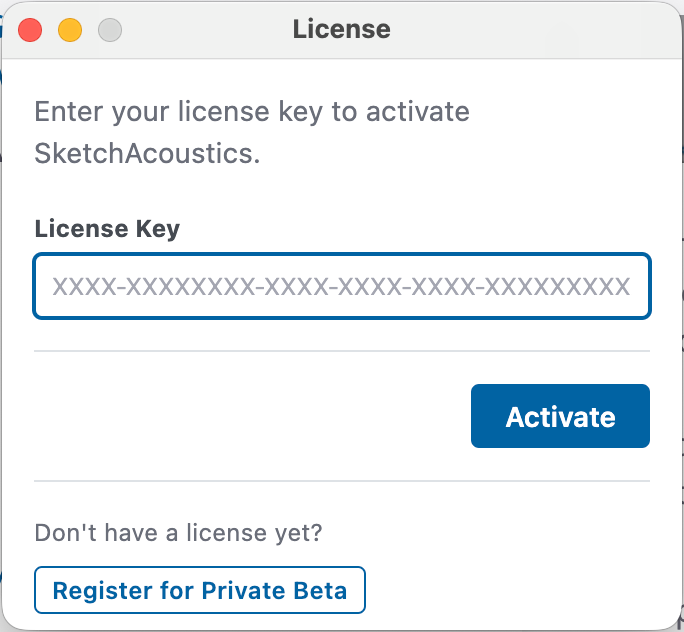
- Enter your beta key (sent to you by email after requesting access)
- Click Activate
If you don’t have a key yet, click Register for Private Beta in the dialog, or request access here.
Step 4 — Run your first analysis
Room Mode Analysis is a great place to start — no material assignment needed.
Room modes are the acoustic resonance frequencies of a room, determined purely by its geometry. Low-frequency standing waves build up at these frequencies and cause uneven bass response — something every recording studio, home cinema, or listening room designer needs to account for.
- Click the Room Modes button in the SketchAcoustics toolbar
- Select all faces that form your room boundary — walls, floor, and ceiling
- Configure the analysis settings and click Run
- Results appear in the dialog and a 3D pressure visualisation overlays your model
What else can SketchAcoustics do?
| Tool | What it does |
|---|---|
| Room Acoustics Simulator | Particle-tracing simulation across octave bands. Outputs RT30, EDT, C50/C80, and other ISO 3382 metrics. |
| First Reflections Calculator | Visualises sound ray paths and reflections in 3D. |
| Acoustic Material Assignment | Assign absorption/diffusion coefficients to surfaces for use in simulations. |
| Listener Placement | Mark objects as listeners for targeted ray filtering. |
Need help?
- Bugs or feature requests: acoustics.fider.io
- Direct support: malvladimiras@gmail.com